
Sign a PDF, with proof attached
Place your signature, then download not just the signed document but an audit certificate: SHA-256 hashes of the files and a timestamped event log.
Drop your PDF here to start
to use Sign PDF (free, no account)
Files stay private: PDFs and images are edited in your browser.
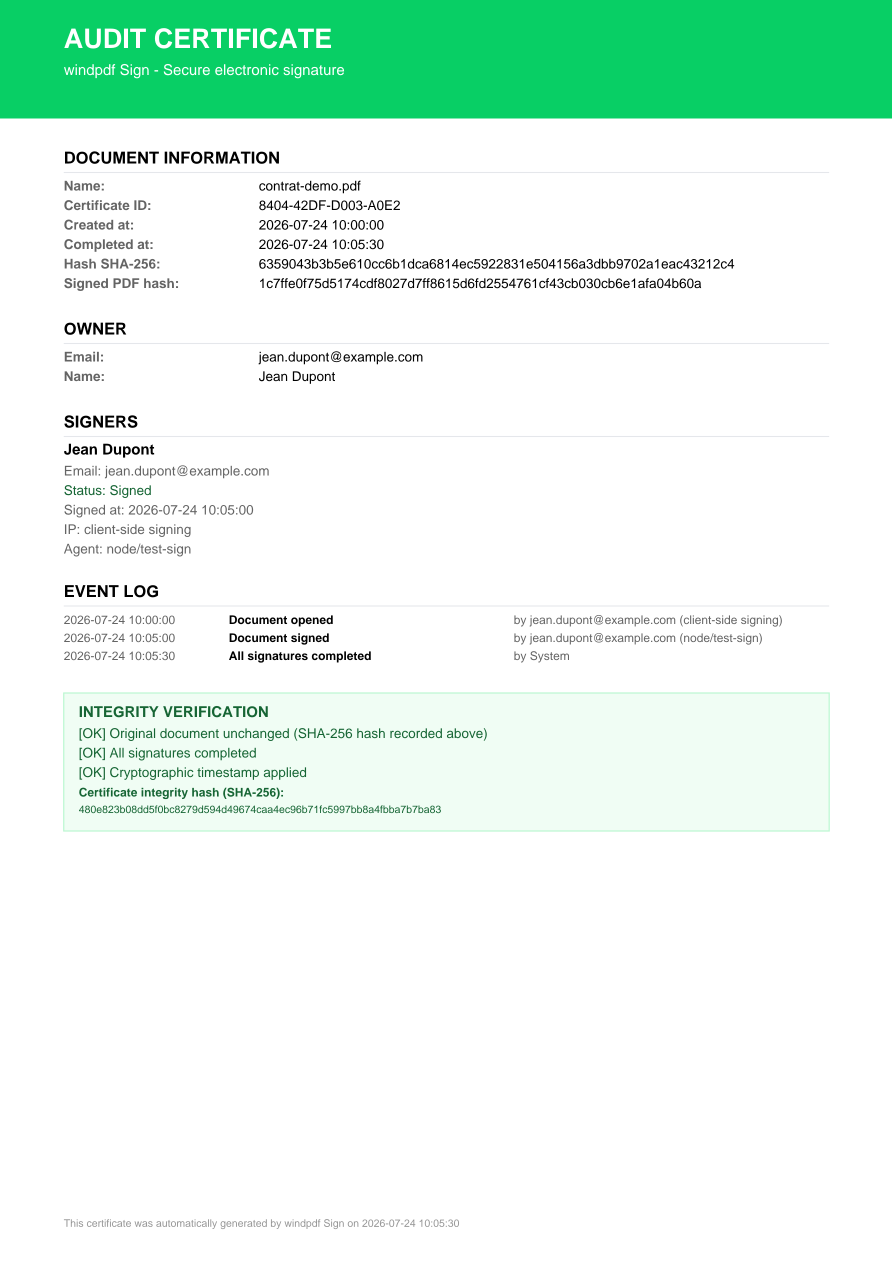
Audit certificate included
Every signed document gets a certificate page recording SHA-256 hashes of the original and signed files, plus a timestamped event log.
Proof, not just ink
The hashes let anyone verify later that the signed file is exactly the one that was certified, tampering changes the hash.
Runs in your browser
The document is signed and hashed locally. A contract never has to visit a server to get its signature and its proof.
Ink on the page, proof in the file
Place the signature, keep the audit certificate: SHA-256 hashes and a timestamped event log travel with the document.
Place it where it belongs
The signature is an object like any other until you save: drag it onto the line, resize it, or drop a second one for the counter-signature.
Draw it, type it, or upload it
Three ways to produce the same signature image, and one checkbox deciding whether the proof page comes with it.
The proof, on one page
The certificate records the hashes of the original and the signed file. Any later change breaks the match.
Then make it permanent
Flatten after signing so the signature becomes page content, and add a password if the contract is confidential. The tools are designed to chain.
A signature you can defend
A drawn signature alone is just a picture on a page. The audit certificate turns it into evidence: the SHA-256 hash of the signed file is a fingerprint that any change, even one pixel, would break.
Keep the certificate with the signed document. Months later, you can prove the file was not altered after signing.
Sign, then lock it down
For a fully finished document, flatten after signing so the signature becomes permanent page content, and add password protection if the contract is confidential. The tools are designed to chain.
Done in three steps
Upload your PDF
Drop the file above, it is read locally in your browser, never uploaded to a server.
Use the tool
The editor opens with the right tool selected. Make your changes in a couple of clicks.
Download the result
Save the finished PDF straight to your device. No account, no watermark, no wait.
Frequently asked questions
A certificate page added to your signed document, recording SHA-256 hashes of the original and signed files and a timestamped log of the signing events.
In most jurisdictions, simple electronic signatures are valid for everyday contracts. Regulated cases may require qualified signatures from a certified provider, check your local requirements.
Yes. Drop the file, sign, download, the whole flow works as a guest, locally in your browser.